Stuck on NYSC Registration? That “DBNull to String” Error Explained in Simple Terms
Hello, future corps member! If you are here, it is because you are trying to complete your important NYSC registration and the portal has shown you a very confusing and frustrating message: “Conversion from type ‘DBNull’ to type ‘String’ is not valid.” Do not worry, you are not alone. This is a common technical problem that many prospective corps members face, and it is not your fault. Let us break down what this big error message means and, more importantly, what you can do about it.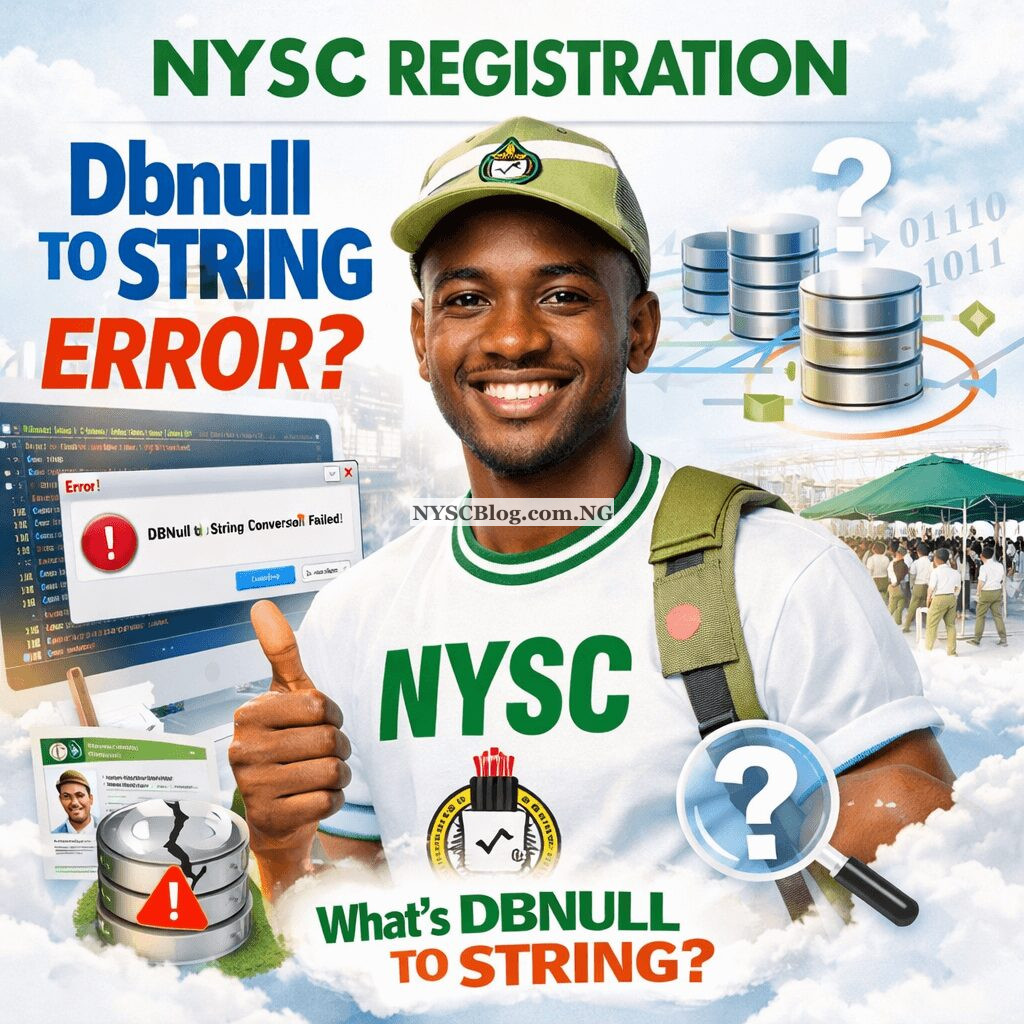
What Does This Fancy Error Message Actually Mean?
In simple words, this error is like a misunderstanding between two parts of the NYSC registration portal (Frustration Mounts as NYSC Registration Portal Crashes). Think of it like this: one part of the system is asking for your name, but the other part accidentally sent an empty box instead. The system does not know how to handle an “empty box” when it is expecting “text like your name,” so it stops and shows you this red error.
The term “DBNull” is a technical way of saying “empty” or “no information” in a database. “String” is just a type of data that is text, like your name, state of origin, or institution. So, the error is saying: “I cannot change this empty space into text because there is nothing to change!”. This is almost always a problem with the portal’s own system, not with the information you typed in.
Immediate Steps to Try and Fix the Problem
Before you get too stressed, here are some simple things you can try right now. These steps have helped many people get past portal errors.
1. Basic Troubleshooting (The First Things to Do)
- Refresh and Try Again: Sometimes, the portal just glitches for a second. Log out, close your browser completely, and then log back in to try the registration step again.
- Switch Your Browser: If you are using Chrome, try Firefox or Microsoft Edge. Sometimes, one browser works better with the NYSC portal than another.
- Clear Your Browser’s Cache: Your browser stores old data that can sometimes conflict with the website. Clearing this cache (you can find how in your browser’s settings) can give you a fresh start.
2. Check Your Internet and Timing
- Use a Strong Network: Do not use public Wi-Fi if it is slow. A poor internet connection can cause data to be sent incompletely, which might lead to errors.
- Avoid Peak Hours: Try registering very early in the morning (before 8 AM) or late at night. When thousands of people are on the portal at the same time, it can slow down and malfunction.
3. Double-Check Your Information
While this specific error is often a system bug, it is always good to ensure your details are perfect. Make sure you are entering information exactly as it appears on your graduation documents or JAMB records. A small mismatch can sometimes cause unexpected issues.
Understanding the “Why”: Possible Causes from NYSC’s Side
You might wonder, “Why is this happening to me?” Here is a look at what could be going on behind the scenes of the NYSC portal:
- Missing Data from Your Institution: Your school is meant to upload your details to the NYSC database. If a particular field (like a middle name) was left blank by your school, the portal might see it as an “empty box” (DBNull) when you try to use it.
- A Portal Update Glitch: Sometimes, when NYSC updates its website software, a small bug can be introduced that causes this conversion error. This is always fixed by their technical team, but it takes a little time.
- Database Connection Issues: The portal pulls information from a very large database. Temporary problems in this connection can lead to incomplete data being sent to your registration form.
What If Nothing Works? Your Action Plan
If you have tried all the steps above and the stubborn error will not go away, do not panic. You have clear options.
1. Patiently Wait and Retry
Very often, this error is a temporary server-side issue that NYSC’s ICT staff are already working to fix. It might be resolved in a few hours or a couple of days. Keep checking the official NYSC social media pages or forums for updates from others.
2. Report the Error Officially
It is important to let NYSC know. You can:
- Use the “Contact Us” or support section on the NYSC portal.
- Send a polite and clear email to the NYSC ICT support desk, explaining the error and the step where it happens. Include your registration number if you have one.
- Mention the exact error message: “Conversion from type ‘DBNull’ to type ‘String’ is not valid.”
3. Seek Help from Your Institution
Contact the NYSC liaison officer or student affairs department at your former university or polytechnic. They can sometimes escalate the issue directly to NYSC on behalf of their graduates.
Frequently Asked Questions (FAQs)
1. Is this error my fault?
No, it is almost certainly not your fault. This is a technical problem within the NYSC portal system. You have not done anything wrong with your registration.
2. Will this error affect my call-up number or deployment?
Not if you report it and it gets resolved. The error is a roadblock to completing registration. Once it is fixed and you finish signing up, the process continues normally. Your deployment depends on your completed registration, not on this temporary glitch.
3. Do I need to go to the NYSC office for this?
Not initially. This is a technical/online issue. The first steps are to try the troubleshooting tips online and report the error through digital channels. Only if official support advises you to visit should you consider going to an office.
4. Should I try to register from a different account or email?
No, please do not do this. Creating multiple profiles can lead to very serious problems with your NYSC registration (NIN for NYSC Registration Everything You Need to Know). Always stick to your original account and email address.
5. How long should I wait before trying again?
If the error is widespread, waiting 24-48 hours is a good idea. This gives NYSC technicians time to apply a fix. You can check online forums to see if other people are still having the problem.
6. Could this be because of a mistake in my name or date of birth?
It is possible, but less likely for this specific error message. If there is a mismatch between your details and your school’s uploaded data, it could create an “empty” conflict. After the technical error is fixed, ensure all your personal details are correct to avoid other issues.
Final Words of Encouragement
Dealing with portal problems can be very discouraging, especially when you are eager to start your NYSC journey. Please remember that this is a common hurdle. Use the simple fixes first, be patient, and report the issue. The NYSC technical team works hard to resolve these glitches. Your service year awaits, and this small delay will soon be a forgotten story. Stay calm, stay positive, and keep trying. You will get through it!